iPad Pro vs. Supernote A5 X2 Manta vs reMarkable Paper Pro
3 min read
Now with early 2026 updates. Note, I may get comission from some of these links:
I'm a big paper note taker, and I go through a bunch of notebooks and pens a year. I mostly use it for daily checklists of things I need to do, but I also doodle a lot -- especially while in meetings. Recently, I decided to save the environment and make the switch to electronic note taking on a device of some sort. I do use Obsidian for notes on my computers, but those are more long-term notes e.g. notes on an app I'm testing that I need to referenced, or keep around for a report.
I did some research, and it came down to the Supernote A5 X2 Manta vs. the reMarkable Paper Pro. I also have a fairly recent iPad sitting around, so I decided to throw it into the hunt, also. Why get a new device if I have a perfectly fine one already? I ended up ordering both the Paper Pro and the Supernote for testing. This all started in December of 2024.
Note that there are some other options out there, like the Kindle Scribe, all with positives and negatives
Here are all three devices next to each other - Manta, Paper Pro, then iPad
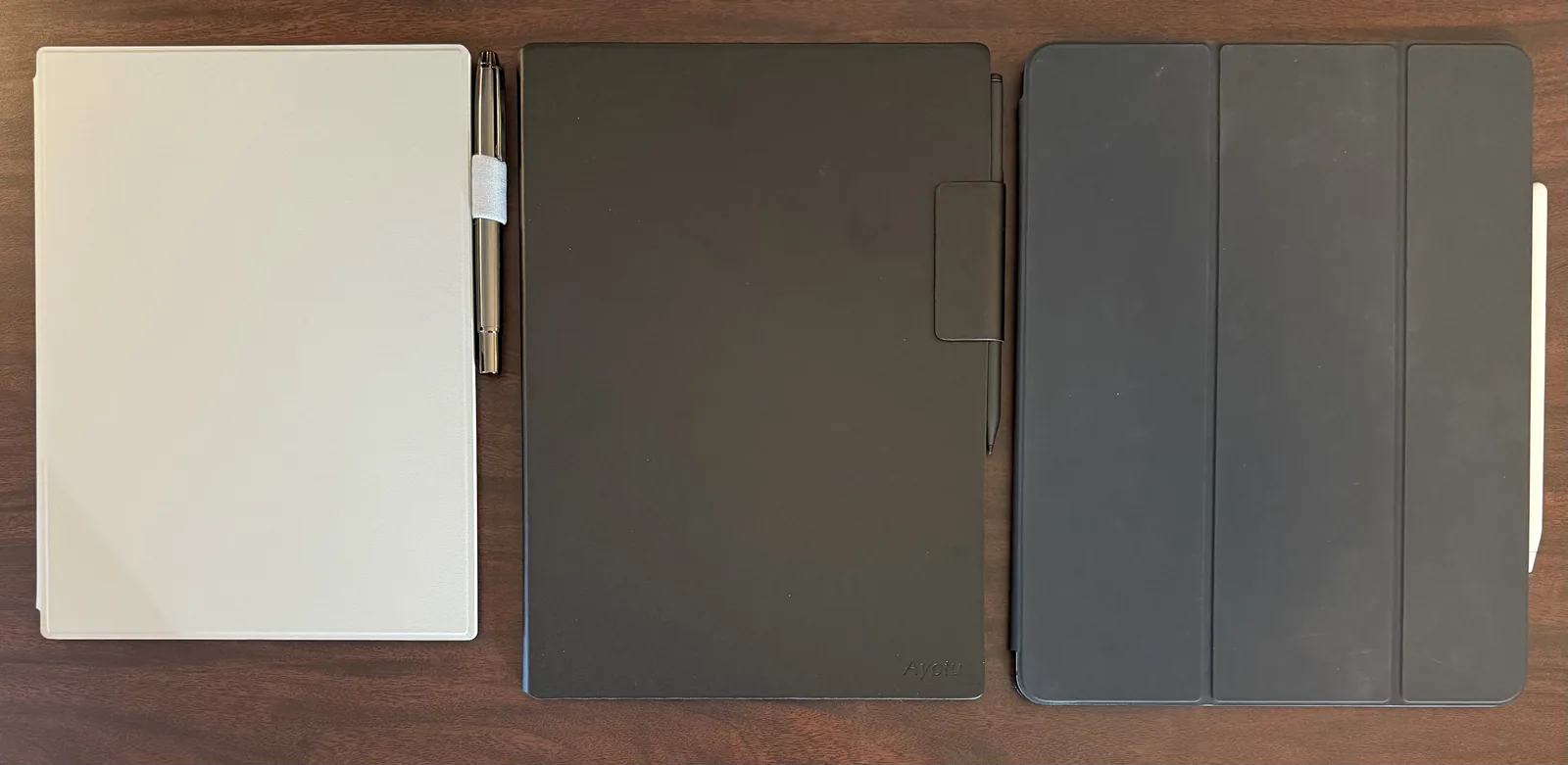
iPad
I ended up purchasing an Apple Pen to use with this, but as seen in the cons section below, writing is a little 'slick' on the iPad. You can purchase screen covers that 'fix' this, but then you'll need to take them on and off when you want to watch something on the iPad or even just do anything else. Maybe the pens have different tips to try or something, idk.
Pros
- Multi-use device
- Vibrant screen colors (not e-ink)
- More sophisticated apps
Cons
- Heavy
- Writing doesn't feel real
reMarkable Paper Pro
Pros
- My favorite when it comes to the feel of writing
- 'Colors', though they are muted
- Faster than the Supernote
- Few features
- Backlight
Note, It looks like it has went up in price a bit (as have all electronics).
Cons
- Fairly large in comparison to the Supernote
- Heavy with a case, but not as heavy as iPad
Other
Offers a paid syncing feature. Currently setup manual syncing.
Supernote A5 X2 Manta
Pros
- Smallest, but still decently sized
- Lightest
- More 'features' i.e. apps like Kindle, mail, etc.
- Handwriting recognition and search
Cons
- Slowest device
- Lower 'quality' build in comparison to the others (but not really bad)
- Longer wait (ships from China)
Something that took me a long time to do was to get a new pen for my Manta. I had previously
I ended up going with the Kindle Scribe Premium Pen and honestly I wouldn't use another pen. It has a soft tip, which I like vs. the supernote pen tips I used. It also has a button on the side for erasing, or you can turn it upside down and use the eraser.
Pricing
In comparing just the Supernote to the reMarkable, it looks like the pricing of each is much more comparable that they previously were (tariffs?). But honestly, I bought them a while ago, so I can't remember.
- Manta - $505.00 - (still the same price in 2026?!?) - no half folio or pen
- Paper Pro -
$579- $679 - no folio, but does include a pen
So, after you purchase a pen for the Manta, it'll only end up slightly cheaper, if not more expensive if you choose one of their fancy pens. I ended up going with the Kindle Scribe Premium Pen.
Conclusion
I've been using the reMarkable for some things and the Supernote for other things. With that said, I'm leaning towards choosing the Supernote as my long term solution. This is mostly based off the size and weight and my use case. I don't need a backlight, as I use it 99% of the time at my desk. I actually prefer the writing of the Paper Pro, it's just too big for me. Maybe I should have gone with another reMarkable device.
Stay tuned. I may eventually get around to doing some security research on the devices.
Update 1/14/26: I ended up going with the Manta and a Kindle Scribe Premium Pen and I'm not disappointed. It's a little slower and less polished, but meets my daily needs of simply taking notes.